Docs › Getting started
Your first bet
From the fight list to a placed bet, step by step, including adding money if your wallet is empty.
You need an account first. If you don't have one, create your account.
1. Find a fight
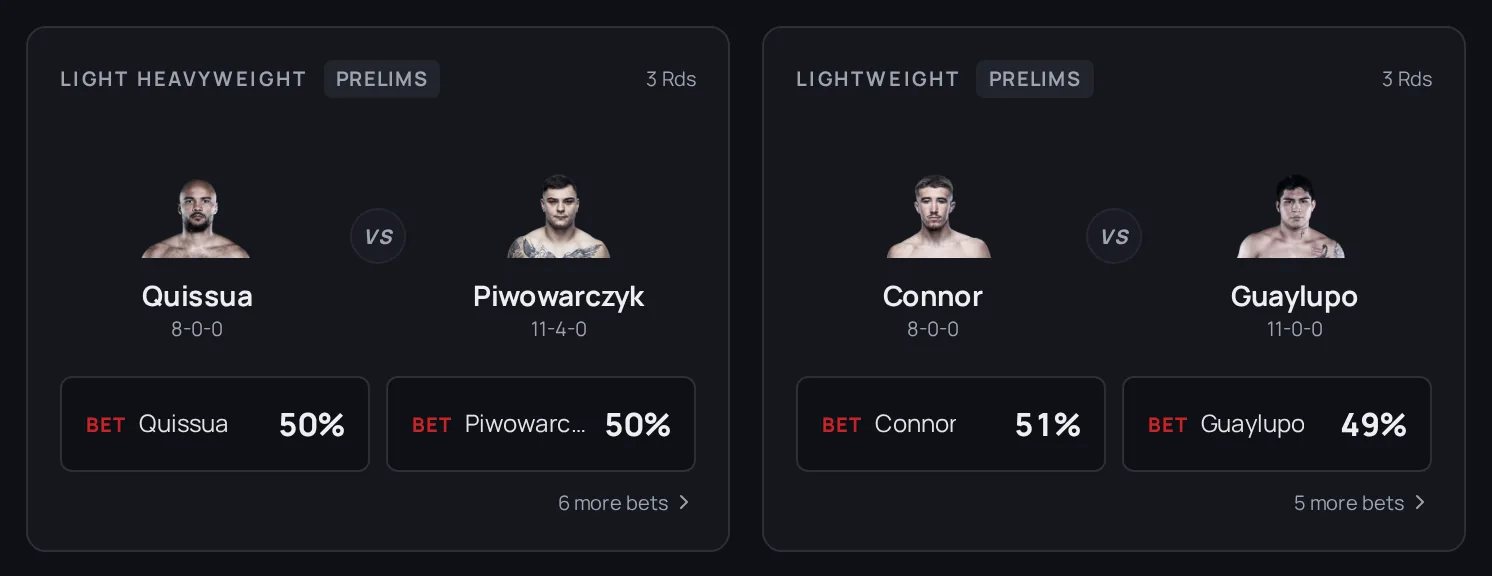
- Open Fights. You'll see the upcoming cards, with the UFC selected first.
- Switch league with the filter at the top if you're after PFL, boxing or another promotion.
- Each matchup shows both fighters with a percentage next to their name. That's the crowd's view of their chance to win. See Reading the odds.
You can bet straight from the list: tap a fighter's percentage and a bet slip opens. Or tap the matchup to open the full fight page, with the chart, fighter stats and recent bets.
2. Open the bet slip
- On a computer, the bet slip sits on the right of the fight page.
- On a phone, tap a fighter's portrait or percentage and the slip slides up.
- From the Fights list, tapping a percentage opens the same quick slip on any screen.
If a fight shows "Cash betting is not available for this fight yet", it hasn't opened for betting. Check back closer to fight night.
3. Pick your fighter and amount
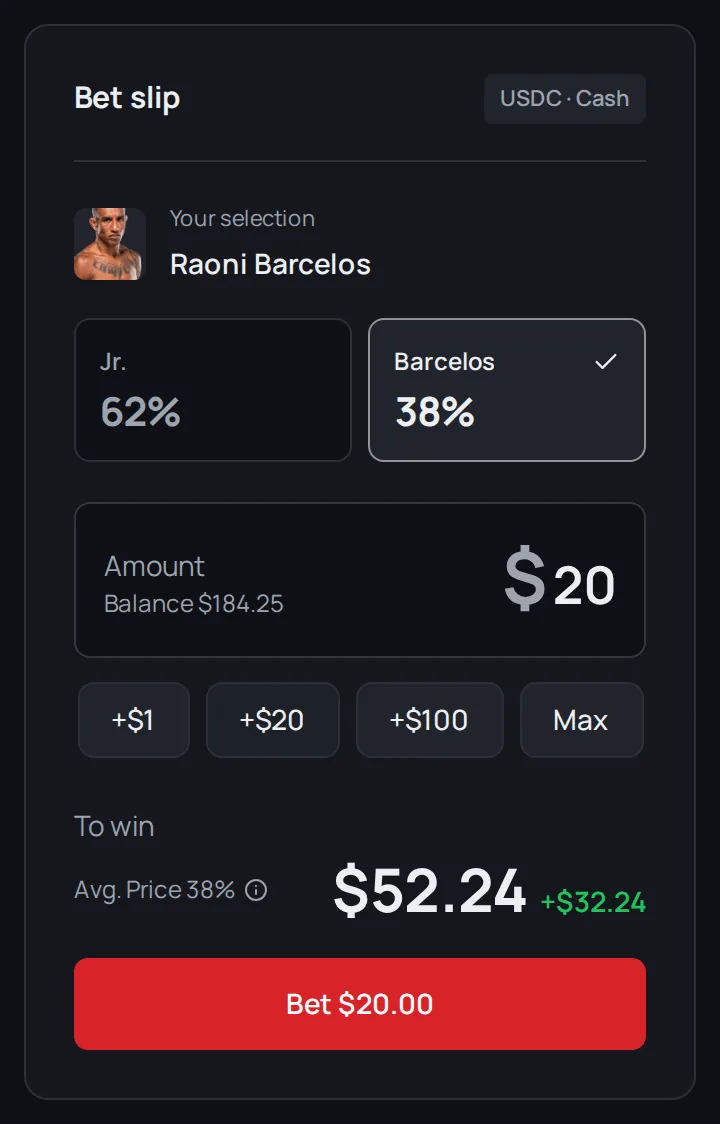
- Tap the fighter you're backing. Your pick is highlighted.
- Enter an amount, or tap +$1, +$20 or +$100 to add to it. Max fills in the most your balance allows, with a little kept back for the fee.
- Read the payout line. It shows what you get back if your fighter wins, and your profit with the market's small trading fee already taken off. The fee is paid on top of your bet. It's an estimate: the price can move before your bet goes through. See Fees.
The minimum bet is $1. Below that, the button reads Min bet $1.
Note: If not many people are betting on a fight, a big bet gets a worse price. The slip warns you and suggests a smaller amount.
4. Add money if you need to
Your balance shows above the amount box. If you type more than you have, you'll see Insufficient balance and an Add funds button.
- Tap Add funds. It takes you to your Wallet.
- Tap Deposit and follow the steps. Adding funds covers every option.
- Come back to the fight once the money shows in your balance.
5. Place the bet
Tap Bet $X. You'll see "Placing bet..." and then a green Bet placed! message. Tap Share on it if you want to show your pick.
If betting isn't available where you are, the slip tells you instead of taking the bet. See Where you can play.
After the fight
Your bet shows in your Wallet with its current value.
- Changed your mind? Tap Sell to cash out before the fight ends. See Cashing out early.
- Your fighter won? Tap Claim all on the Winnings ready to claim card to move your winnings into your Cash. If you signed in with email, Google or a passkey, the app usually does it for you when you open your Dashboard or Wallet. See Claiming winnings.
Next
Want to know what you're actually buying? Read How it works.